Stay ahead of every transaction
before deadlines become problems
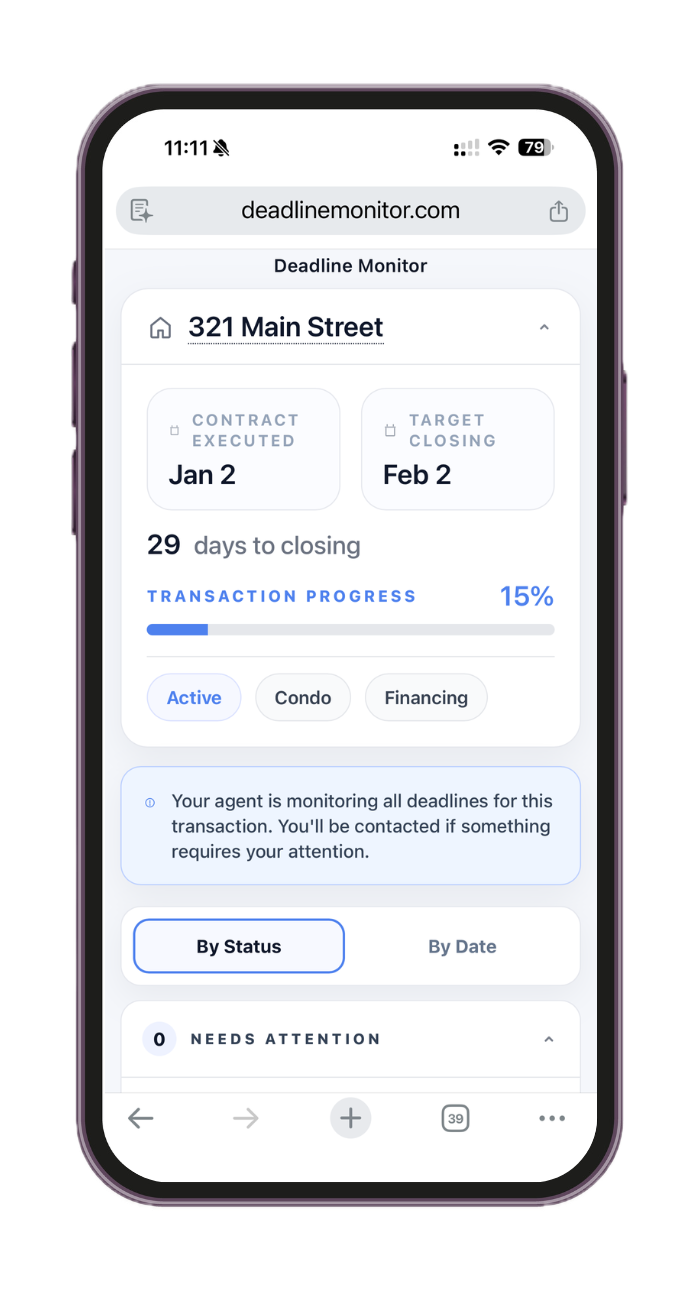
Track every contract milestone automatically. Send clients a live timeline they can check anytime. Stop carrying closing dates in your head.
Your first transaction is free. No credit card required.
Less mental load. More confidence.
Reminders that arrive early
Get notified days before deadlines — so you can act instead of scramble.
Clients stay informed
Share one link. Clients see what's coming. You stop answering the same question twice.
The organized agent is the remembered agent
When every transaction runs the same way, clients notice. That's what earns the next referral.
See how one contract becomes an organized transaction timeline.
From upload and review to active reminders and a shareable client timeline, Deadline Monitor keeps the next step visible.
Watch the complete workflow: contract PDF, review, timeline, reminders, and transaction visibility.
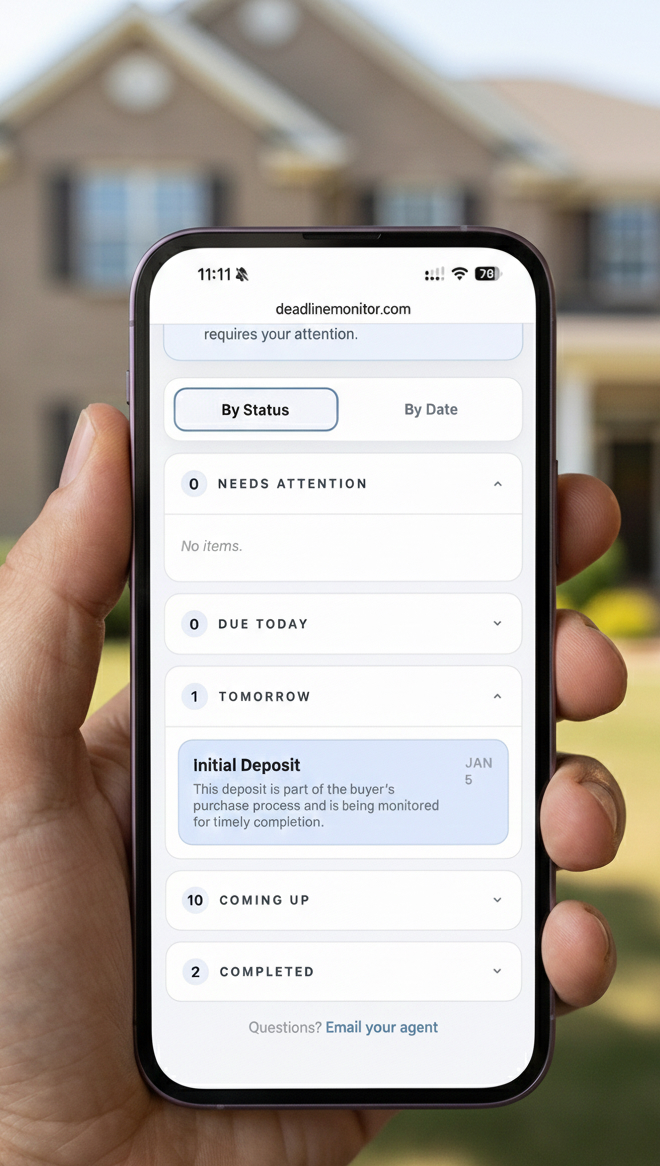
When clients know what's next, they stop worrying. So do you.
When clients know what's next, they stop asking. When you know what's next, you stop worrying. That's the whole point.
Clients see what's coming
One link. No login. They check the timeline instead of texting you.
You get reminded before it's urgent
Early warnings mean you can prepare. Not scramble.
Fewer last-minute surprises
Predictability is what clients perceive as professionalism.
How it works
Upload the contract PDF or start manually
Upload a clear purchase contract PDF to speed up setup, or start by entering the transaction manually if you prefer.
Most users start with the PDF so the system can do the first pass faster.
AI-assisted review pulls in the key dates
Deadline Monitor helps detect the important dates and terms from the contract so you are not building the timeline from scratch.
You still review and confirm everything before the transaction is saved.
Review, save, and confirm the timeline
Check the extracted details, make any edits you need, and save the transaction once the timeline looks right.
This is where the deal becomes organized, visible, and easier to manage.
Create your account and activate reminders
Create your account to save the transaction, turn on reminders, and share the client timeline when you are ready.
Your first transaction is free. No credit card required.
Already have the PDFs? Email them once.
Send the contract, riders, and addenda to Deadline Monitor. A few minutes later, receive a preliminary timeline to review before you activate it.
Use the documents you already received by email.
Deadline Monitor prepares a draft transaction from the files.
Confirm every key date before reminders begin.
Attach. Send. Review. Activate.
Two minutes to set up. Everything else runs automatically.
Deadline Monitor does one job: reduce what you need to remember.
Stop tracking dates across spreadsheets. Every active transaction lives in one place, organized by what comes next.
Set it up once. From there, Deadline Monitor shows what is next, what is pending, what is done, and what needs attention.
Clients follow the process more easily. The shareable timeline gives them clarity without turning you into a human status tracker.
Start with one real transaction
Try your first transaction free. Add key dates, preview the milestones, then save and activate reminders.
Prefer to create an account first? Sign up.
Common questions
Deadline Monitor is built for Florida real estate professionals — agents, transaction coordinators, and teams managing residential transactions.
No. You can upload a PDF and have key dates detected with AI assistance, or enter dates directly. You review and confirm everything before saving.
Both. Agents get clearer visibility and earlier reminders. Transaction coordinators get a cleaner way to manage multiple files at once.
If you have the dates or a readable contract PDF, most users can get the first version of a transaction set up in a couple of minutes.
Clients can check a shareable timeline instead of asking what happens next. That reduces repetitive update calls and makes the process feel more organized.
Update the date once and the timeline and reminders adjust automatically.
Deadline Monitor is currently optimized for Florida residential real estate and the FR/BAR Contract for Sale and Purchase. Other deal types can still be entered manually, but the timeline logic is built first for Florida.
No. Deadline Monitor is built to track deadlines, automate reminders, and improve transaction visibility. It works alongside the tools you already use for documents and signatures.