Client-Facing Transaction Timeline

Give Clients a Real-Time View of Their Transaction Without Fielding Constant Update Calls

Clients usually are not asking for updates because they distrust the agent. They ask because the process is opaque to them. Deadline Monitor gives you a client-facing timeline you can share so progress stays visible without turning every status question into a call.

One shareable linkClients can follow the progress without asking
Less repeated status workAgents answer fewer identical update questions
More organized experienceThe process feels clearer on both sides
Product view
Give Clients a Real-Time View of Their Transaction Without Fielding Constant Update Calls
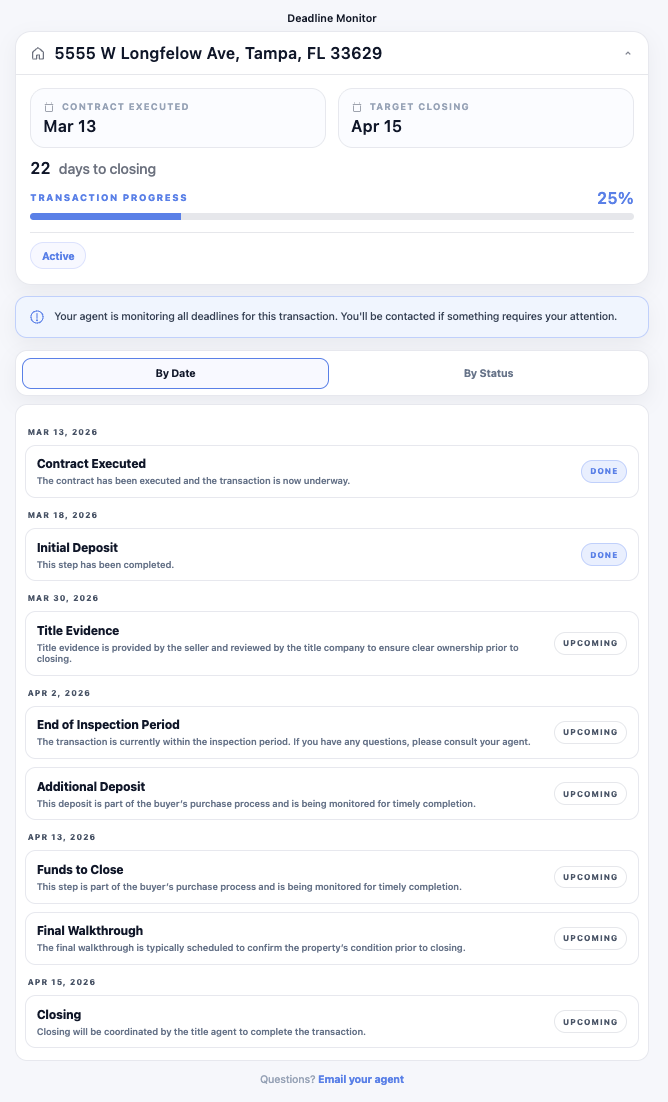
Client-facing timeline inside Deadline Monitor.
Deadline clarityKeep critical dates tied to the transaction instead of scattered across tools.
Reminder automationSee upcoming due steps before they become last-minute problems.
Client visibilityShare transaction progress with a cleaner, more organized experience.
Section 1

Why clients ask for updates

Real estate transactions are emotionally loaded and operationally unclear to most clients. They signed a contract, but they cannot see the work moving behind the scenes. They know something should be happening. They just do not know what it is or how far along it is.

That uncertainty creates status calls, status texts, and status emails. The agent then has to stop, rebuild context, and translate internal process into a client update that often covers the same questions asked on other deals.
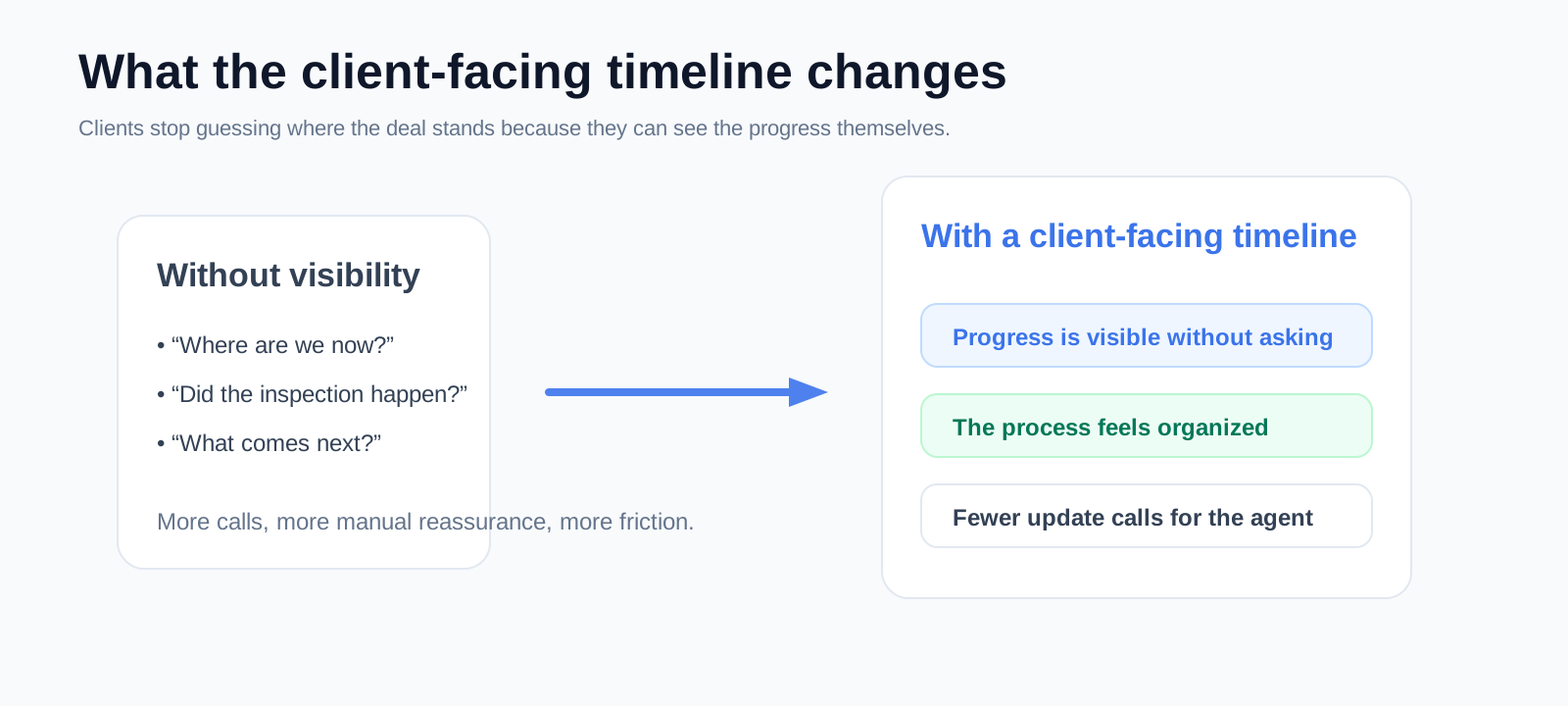
Created explainer visual
Why clients ask for updates
Created visual showing the difference between opaque and visible progress.
Product view
What the client-facing timeline actually does
Client-facing timeline inside Deadline Monitor.
Section 2

What the client-facing timeline actually does

Shows where the deal stands

The client sees the current stage instead of guessing whether progress is happening.

Makes the sequence visible

The process feels clearer because the next milestones are easier to understand.

Reduces repetitive updates

The same link can answer many of the questions that usually trigger a call or text.

Section 3

How it improves the client experience

The transaction feels more organized when the client can see movement. Visibility lowers anxiety. It also changes the emotional tone of communication because the client no longer feels dependent on ad hoc updates to know whether progress exists.

That does not remove the need for good client service. It gives your client service a better operating foundation.

Product view
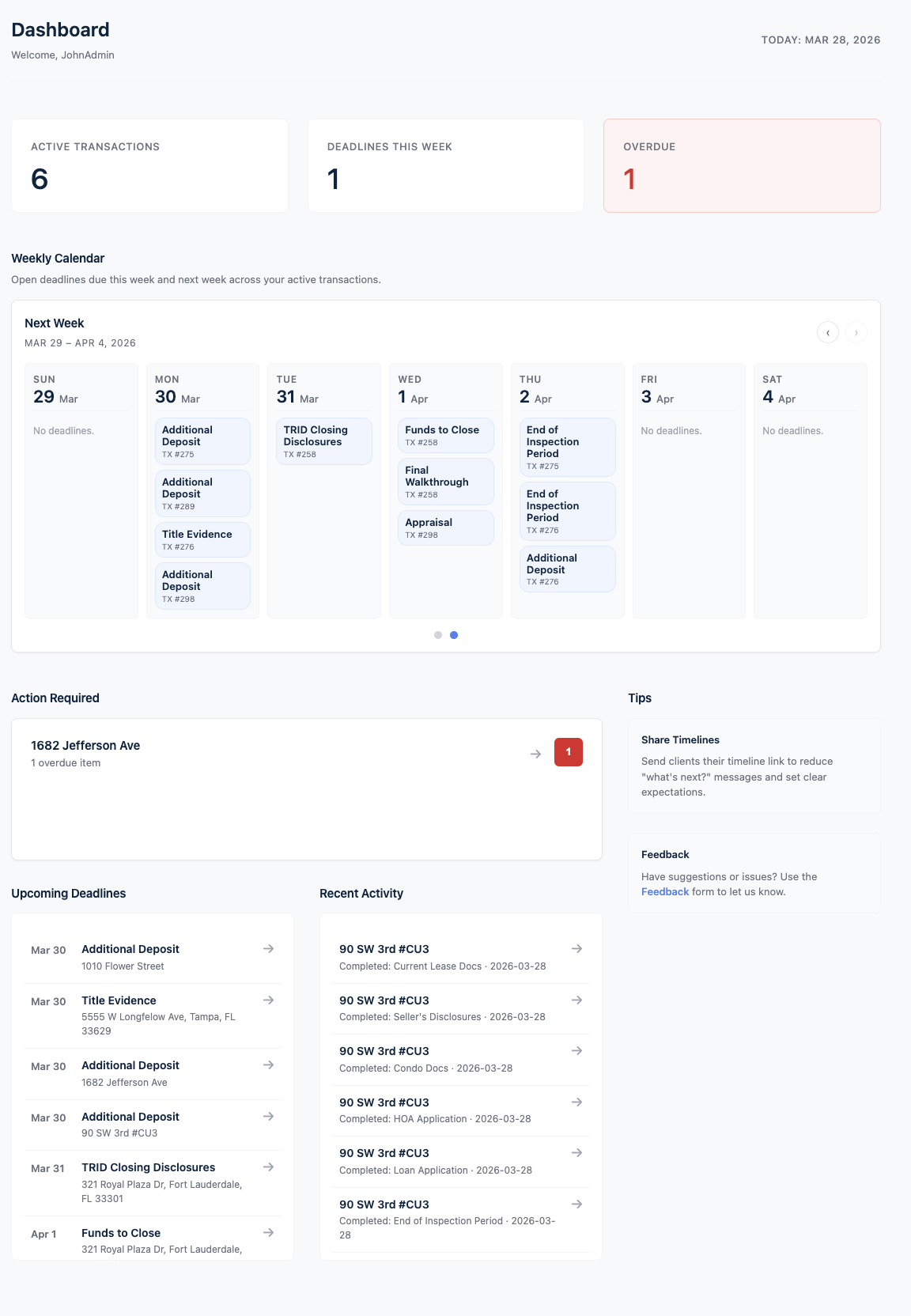
How it improves the client experience
Dashboard view powering the client-facing experience.
Product view
How it helps agents and coordinators
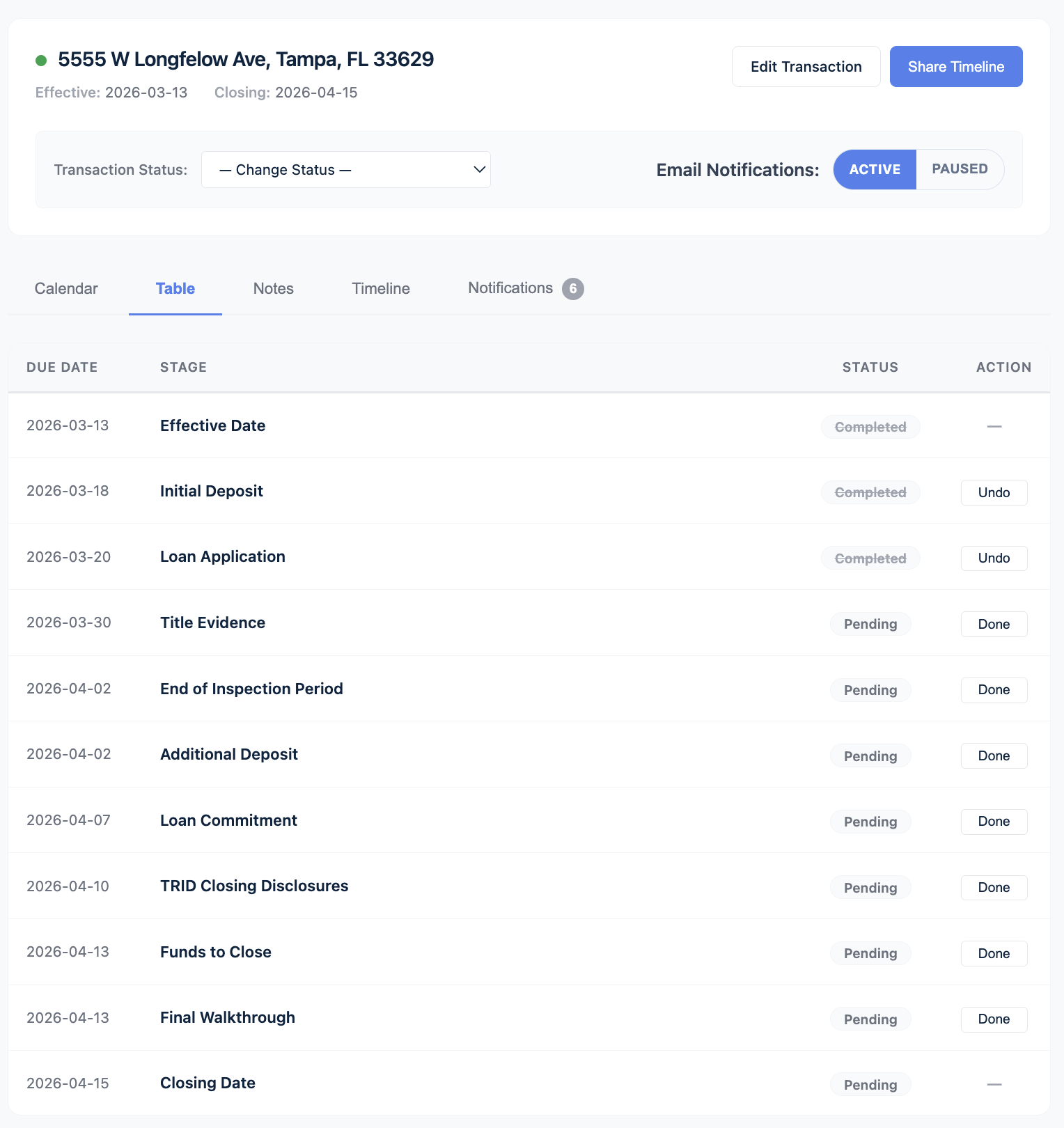
Internal timeline that feeds the client-facing view.
Section 4

How it helps agents and coordinators

This page is about the client, but the operational value lands with the team managing the file. Fewer repeated status questions means fewer interruptions. A visible client view also reinforces the impression that the process is under control.

Without the timelineWith the timeline
Clients ask where things stand because they cannot see progress.Clients can open a link and see the current position of the deal.
Agents rebuild context repeatedly for routine updates.Routine visibility improves before a manual status update is needed.
The process can feel opaque even when the team is organized.The experience feels more organized because progress is visible.
Section 5

Who should care most about this feature

Realtors

If update calls are stealing attention from active deal work, this feature matters.

Teams and coordinators

If several people touch the file, a consistent client view improves the experience without multiplying manual communication.

Product view
Who should care most about this feature
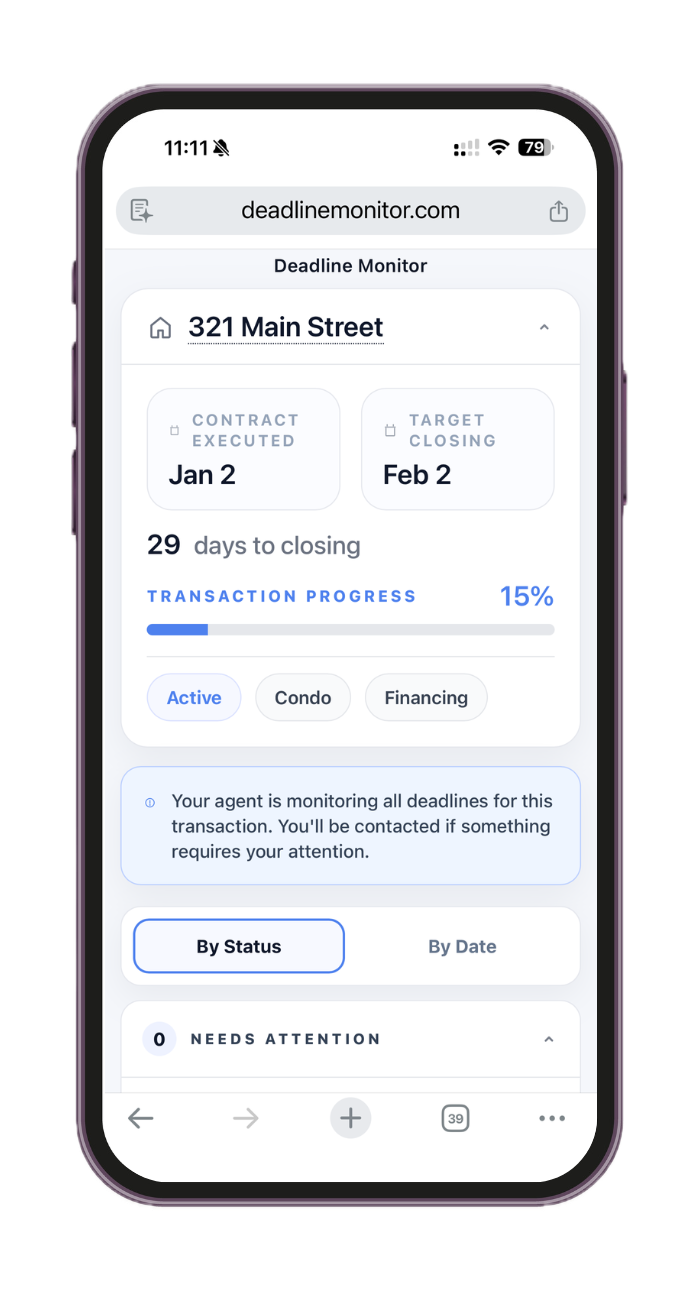
Mobile view of the client-facing timeline.
FAQ

Questions this page should answer before someone clicks

What does the client see?

The client sees a shareable timeline that makes the transaction progress easier to follow.

Does this replace communication with the client?

No. It reduces the need for repetitive status updates and gives your communication a clearer base.

Why is this different from sending an occasional email update?

An occasional email is static. A timeline gives the client a place to go back to when they want orientation.

Who benefits more from this, the client or the agent?

Both. Clients get clarity. Agents and coordinators get fewer interruptions and a stronger impression of organization.

Get started

Give the client visibility without adding more manual communication.

Share a timeline that makes progress easier to follow.