Automated Deadline Reminders

Automated Reminders for Real Estate Contract Dates, Tied to the Deal Instead of Your Calendar

A reminder only helps when it arrives with the right context. Deadline Monitor ties reminder activity to the transaction timeline, so upcoming deadlines are easier to act on before they become urgent.

Deadline-awareReminders are tied to real transaction milestones
Cleaner promptsThe reminder belongs to the deal, not just a timestamp
Better follow-throughUsers act sooner because context is visible
Product view
Automated Reminders for Real Estate Contract Dates, Tied to the Deal Instead of Your Calendar
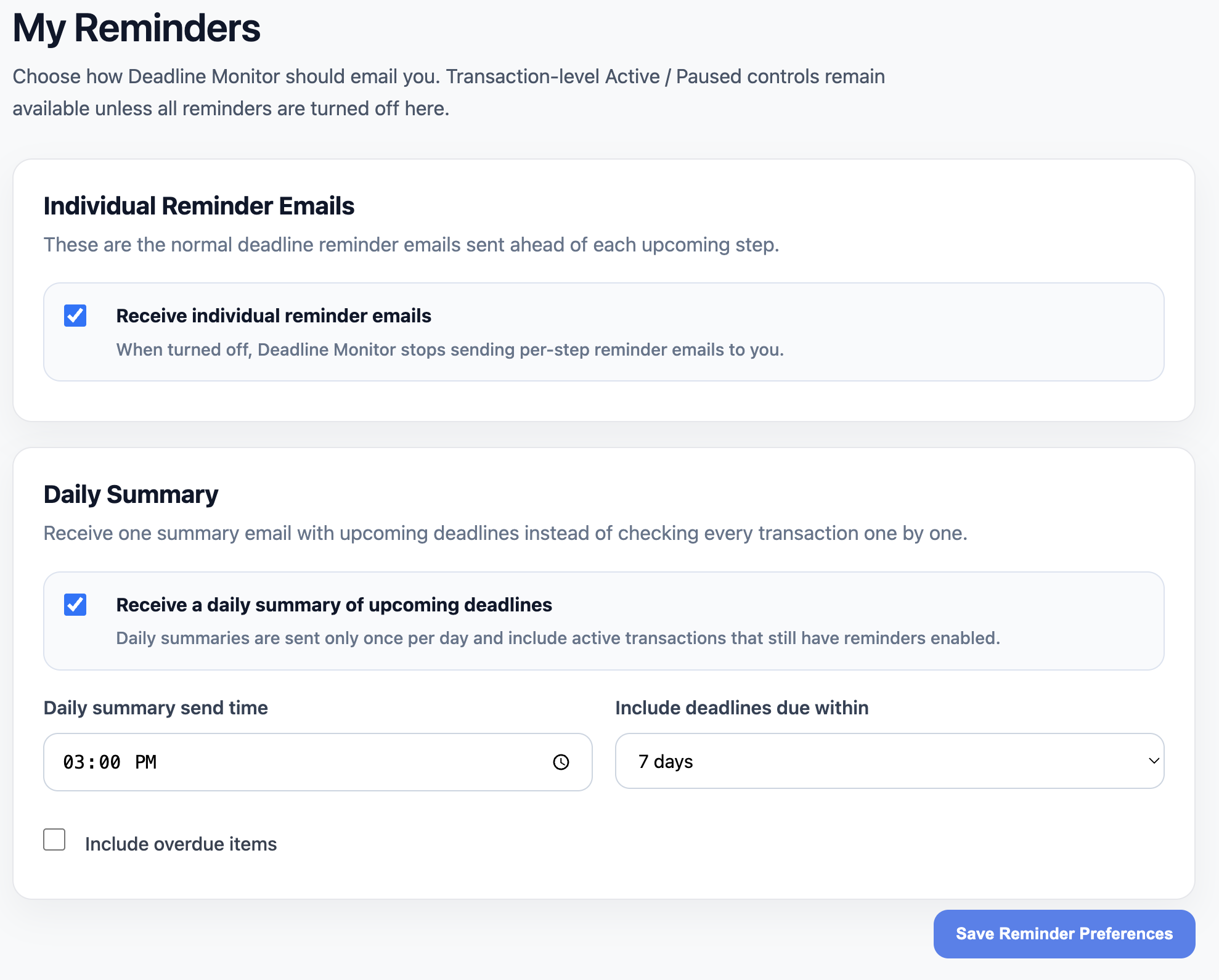
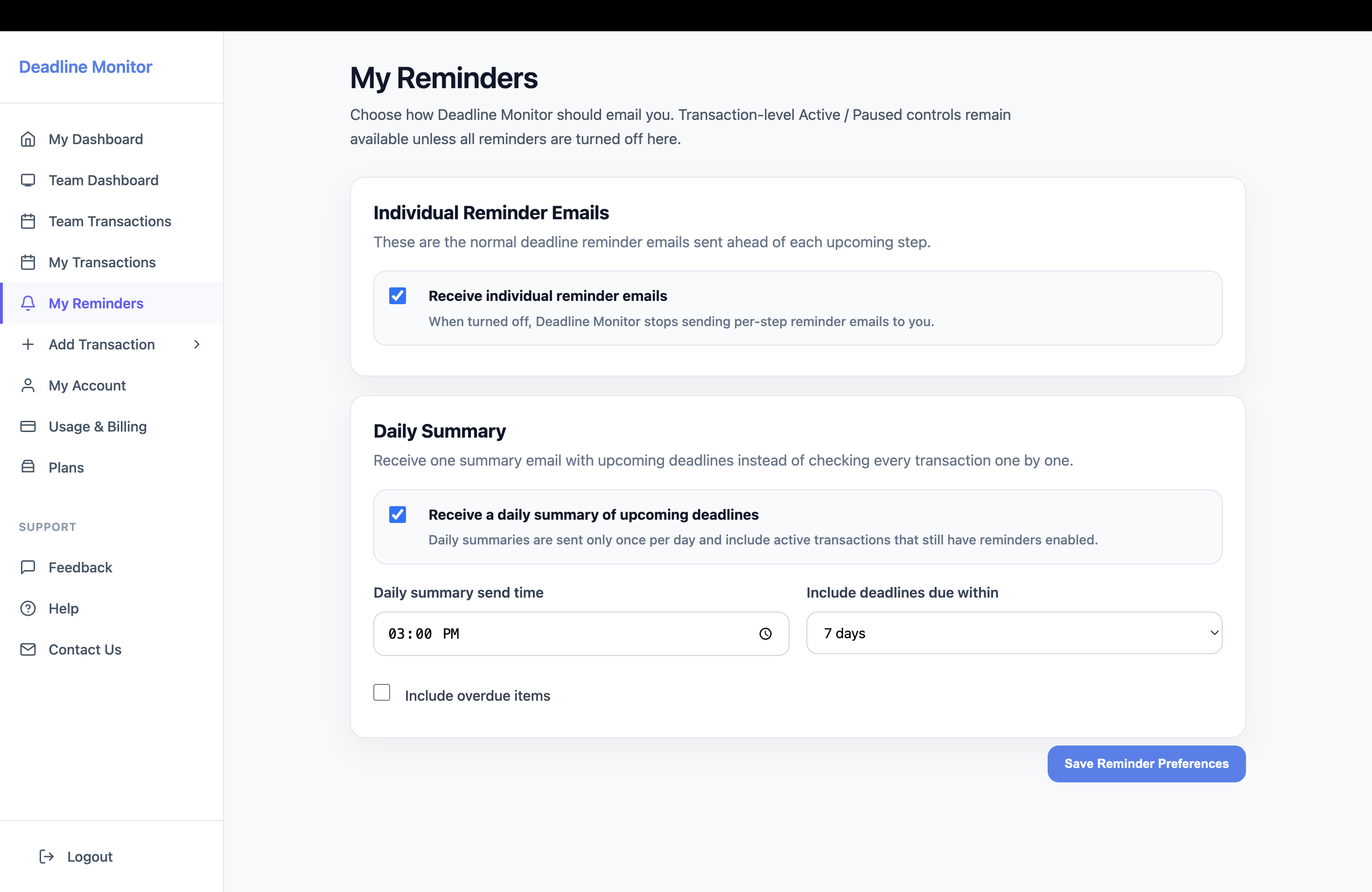
Reminder configuration inside Deadline Monitor.
Deadline clarityKeep critical dates tied to the transaction instead of scattered across tools.
Reminder automationSee upcoming due steps before they become last-minute problems.
Client visibilityShare transaction progress with a cleaner, more organized experience.
Section 1

Why disconnected calendar reminders break down

Most agents do set reminders. The problem is that a generic calendar alert has no understanding of the transaction it is trying to protect. It tells you a date is near, but it does not carry the full context of what changed, what else is due, or who else is involved.

That gap matters more when dates move. A transaction extension or updated contingency changes the timing, but a disconnected alert often stays behind in the old system unless someone remembers to rebuild it.
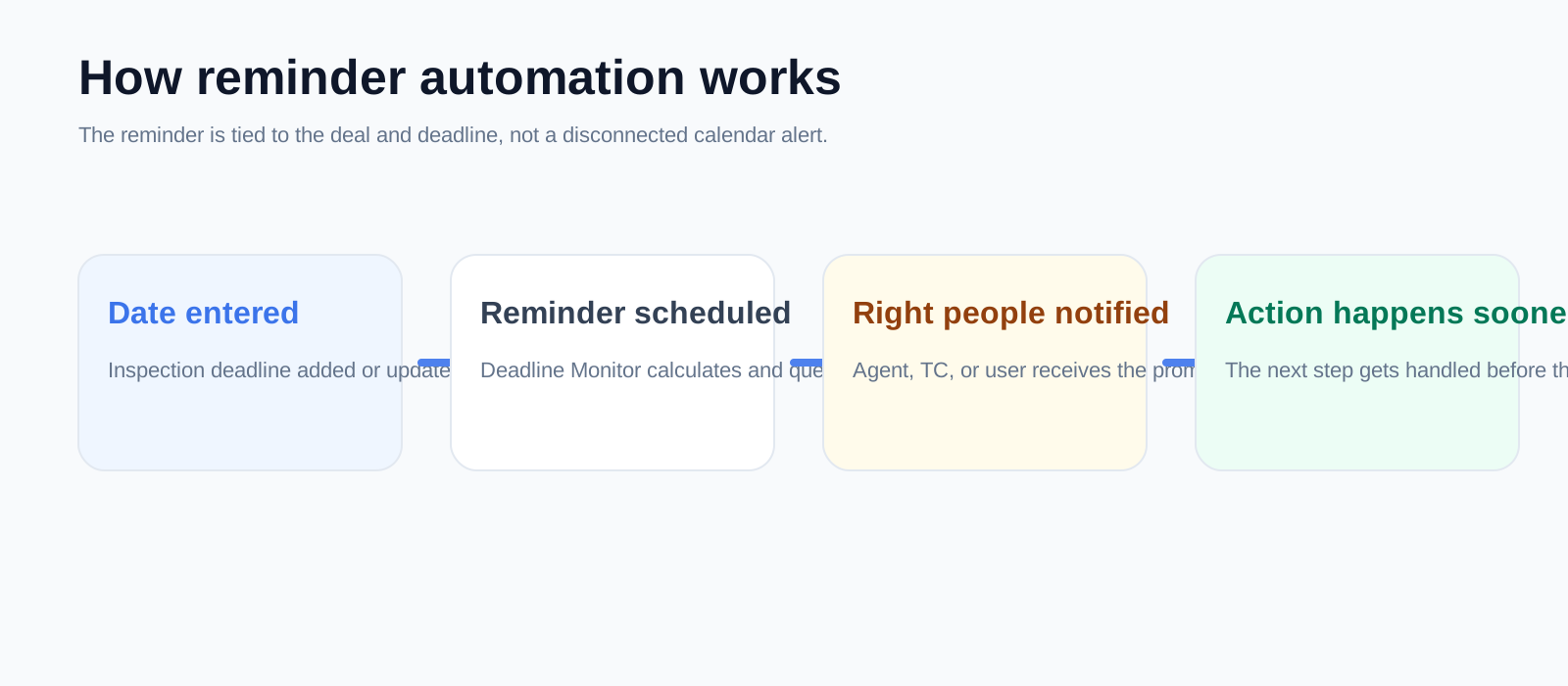
Created explainer visual
Why disconnected calendar reminders break down
Created automation visual for the reminder sequence.
Product view
What Deadline Monitor reminders do differently
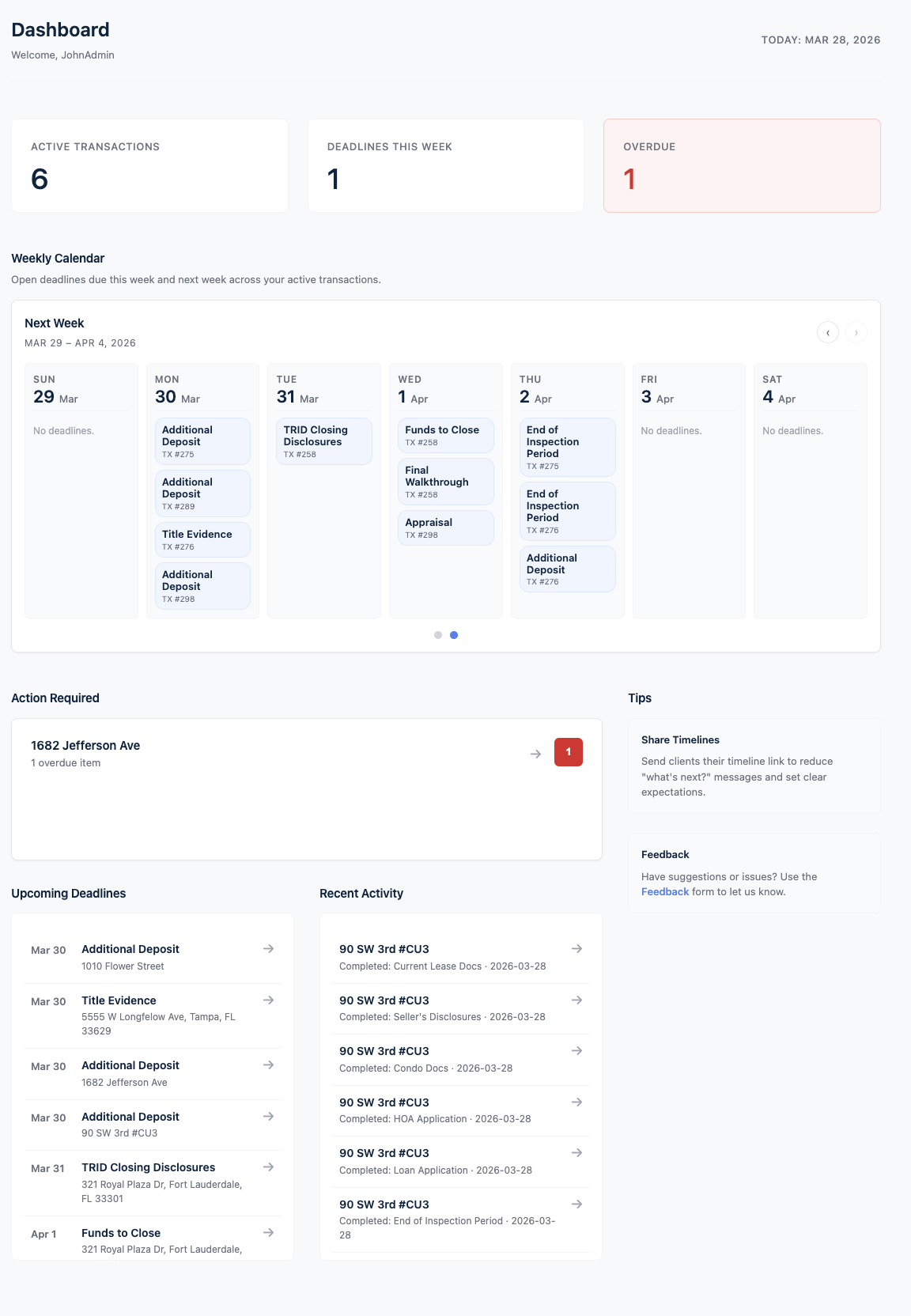
Dashboard view with due-soon visibility.
Section 2

What Deadline Monitor reminders do differently

They belong to the transaction

The reminder is connected to the file and its current timeline.

They are easier to read

You see the date in the context of the deal, not as an isolated alert buried among other notifications.

They support earlier action

The goal is not a loud alert. The goal is a calmer workflow before the deadline becomes urgent.

Section 3

Examples of reminders that matter

1
Inspection and response deadlines
Deadlines that affect options and negotiating leverage if they are handled late.
2
Financing and appraisal windows
Dates that influence how smoothly the path to closing continues.
3
Walk-through and closing preparation
Steps that are easy to underestimate when the week is full.

The system is most helpful when the reminder does not have to explain everything from scratch. The timeline already carries the story of the deal.

Product view
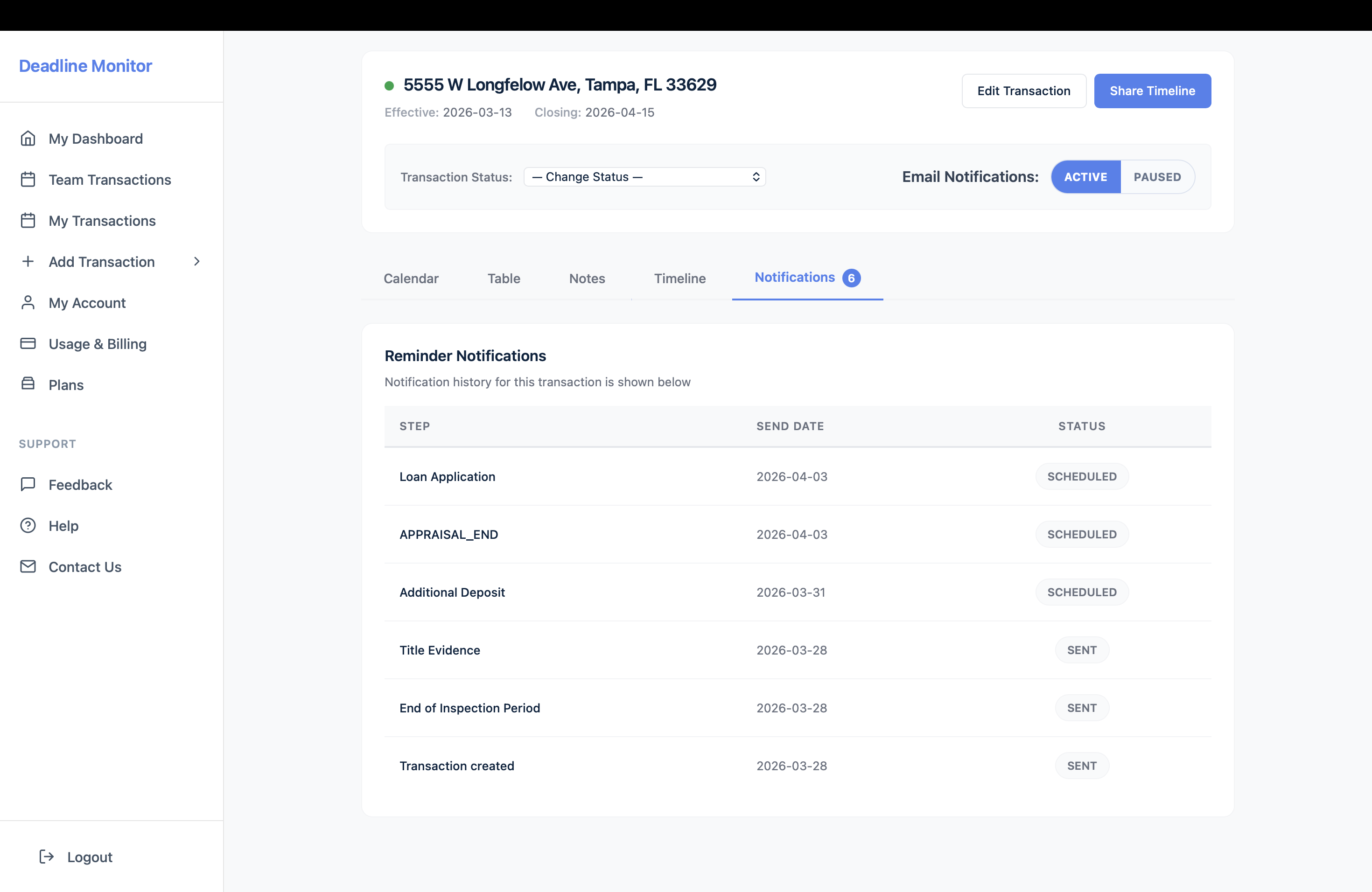
Examples of reminders that matter
Notifications tab inside the transaction timeline.
Product view
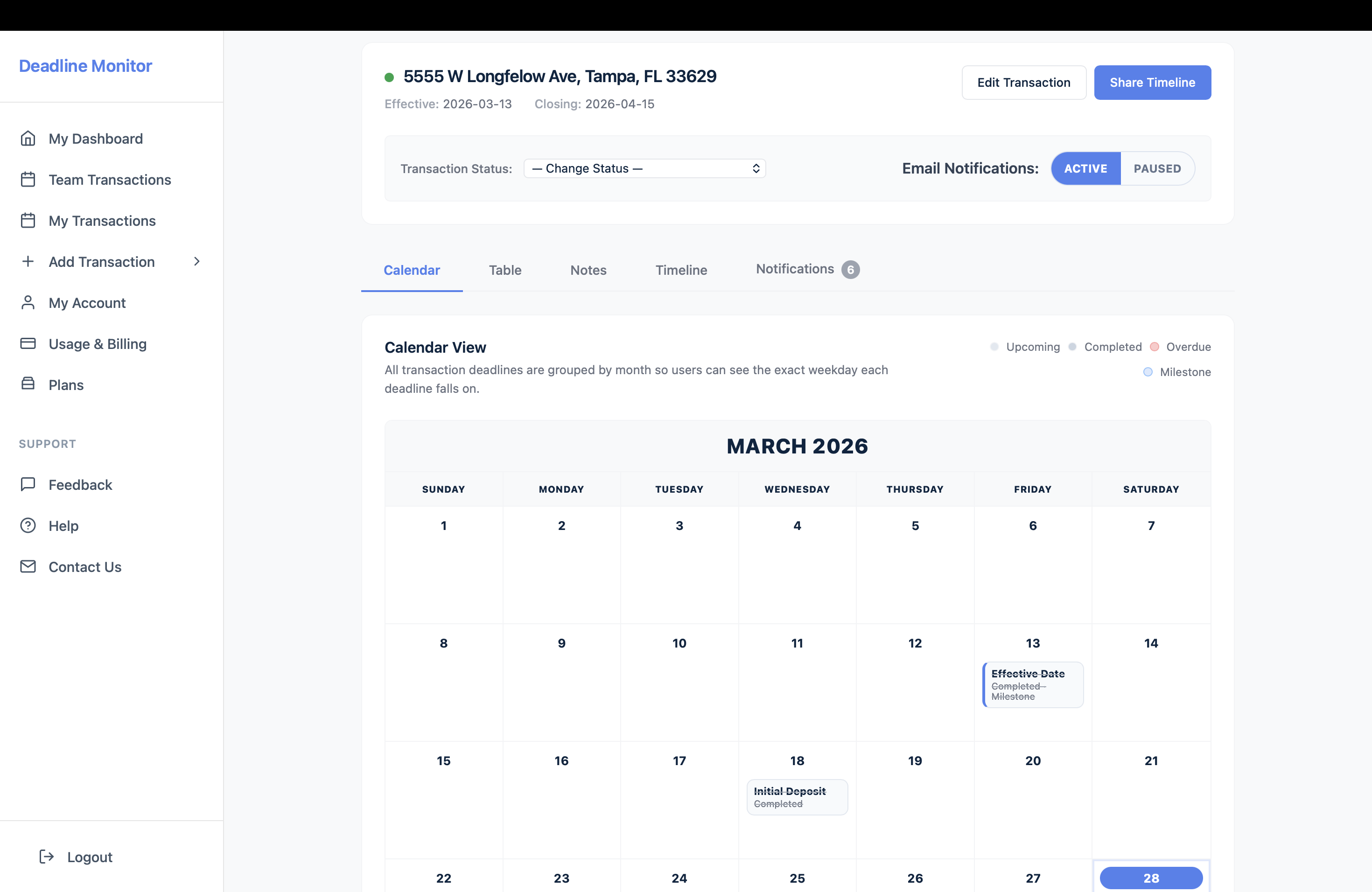
How reminders fit the larger workflow
Transaction detail view showing reminders in the broader workflow.
Section 4

How reminders fit the larger workflow

Deadline Monitor is not trying to be a single bell icon on top of a disconnected process. The reminders sit inside a broader workflow that includes transaction tracking, progress visibility, and the ability to share a cleaner client view when needed.

Practical point: reminders work better when they are part of the system of record, not a separate memory aid you have to keep synchronized manually.
Section 5

Who should care most about this page

Agents juggling several files

If deadlines are currently spread across a calendar and ad hoc notes, this is one of the fastest-value pages in the set.

Transaction coordinators managing handoffs

If reminders need to support several active files and more than one person touching the deal, this becomes even more useful.

Product view
Who should care most about this page
Reminders page inside Deadline Monitor.
FAQ

Questions this page should answer before someone clicks

Does Deadline Monitor replace every reminder tool I use?

It replaces the need to use a generic reminder tool as the main place where transaction deadlines live.

What is better here than a normal calendar alert?

The reminder is tied to the deal, the timeline, and the current stage instead of existing as an isolated alert.

Can this help transaction coordinators too?

Yes. It is useful wherever one person is responsible for staying ahead of several file timelines.

Why is context so important?

Because a reminder without deal context still requires someone to reconstruct the next step manually.

Get started

Reminders work better when they belong to the transaction.

Use deadline reminders that fit the workflow instead of sitting outside it.