Real Estate Deadline Tracking Software

Real Estate Deadline Tracking Software Built for the Way Transactions Actually Work

Every transaction runs on dates. Inspection periods. Financing contingencies. Appraisal deadlines. Response windows. Closing day. Deadline Monitor keeps those dates in one place, turns them into a visible workflow, and sends reminders before the pressure lands on your desk.

One placeDeadlines, reminders, and deal context together
Faster setupA transaction is structured in minutes
Client clarityProgress is shareable without status calls
Product view
Real Estate Deadline Tracking Software Built for the Way Transactions Actually Work
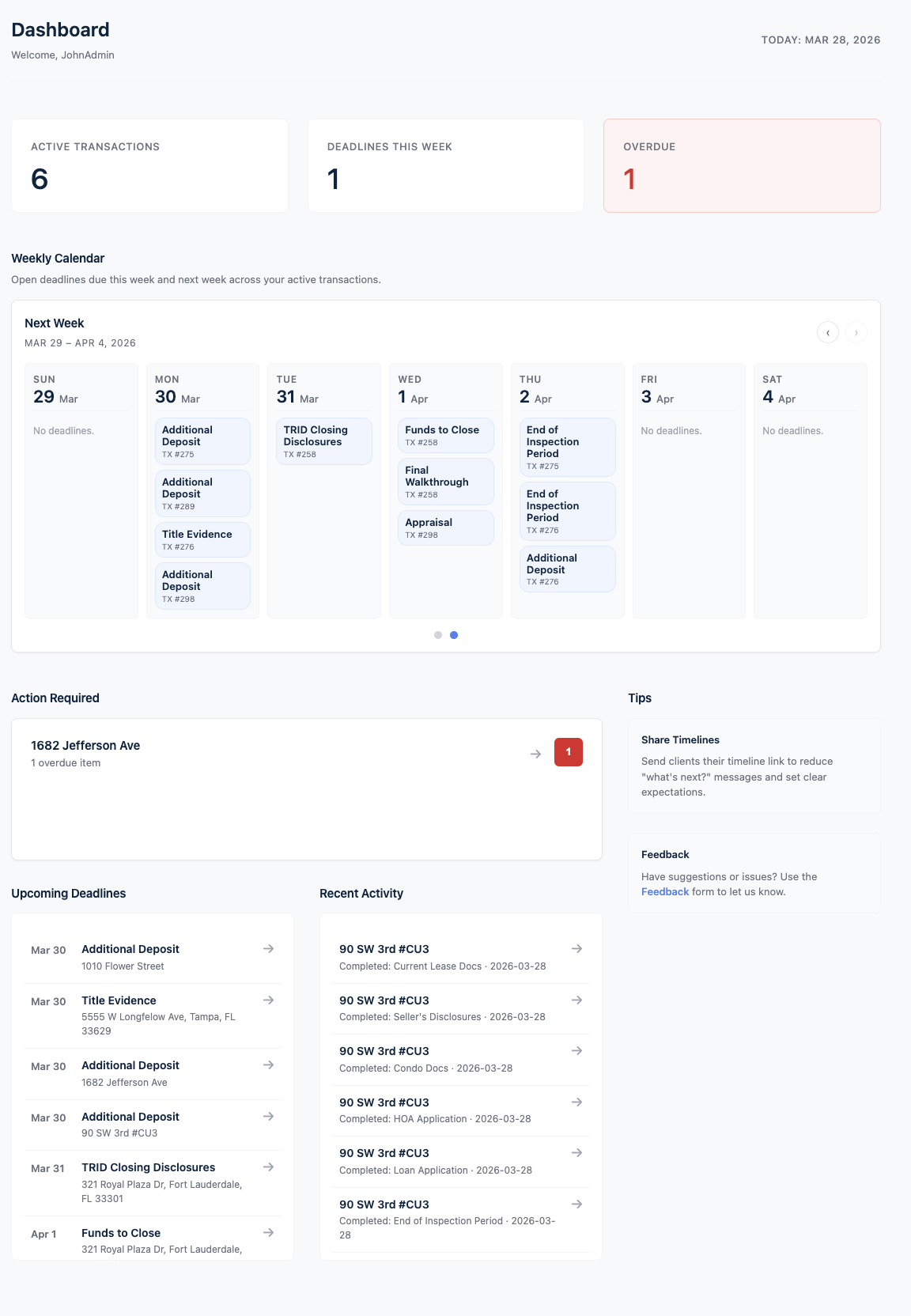
Dashboard view inside Deadline Monitor.
Deadline clarityKeep critical dates tied to the transaction instead of scattered across tools.
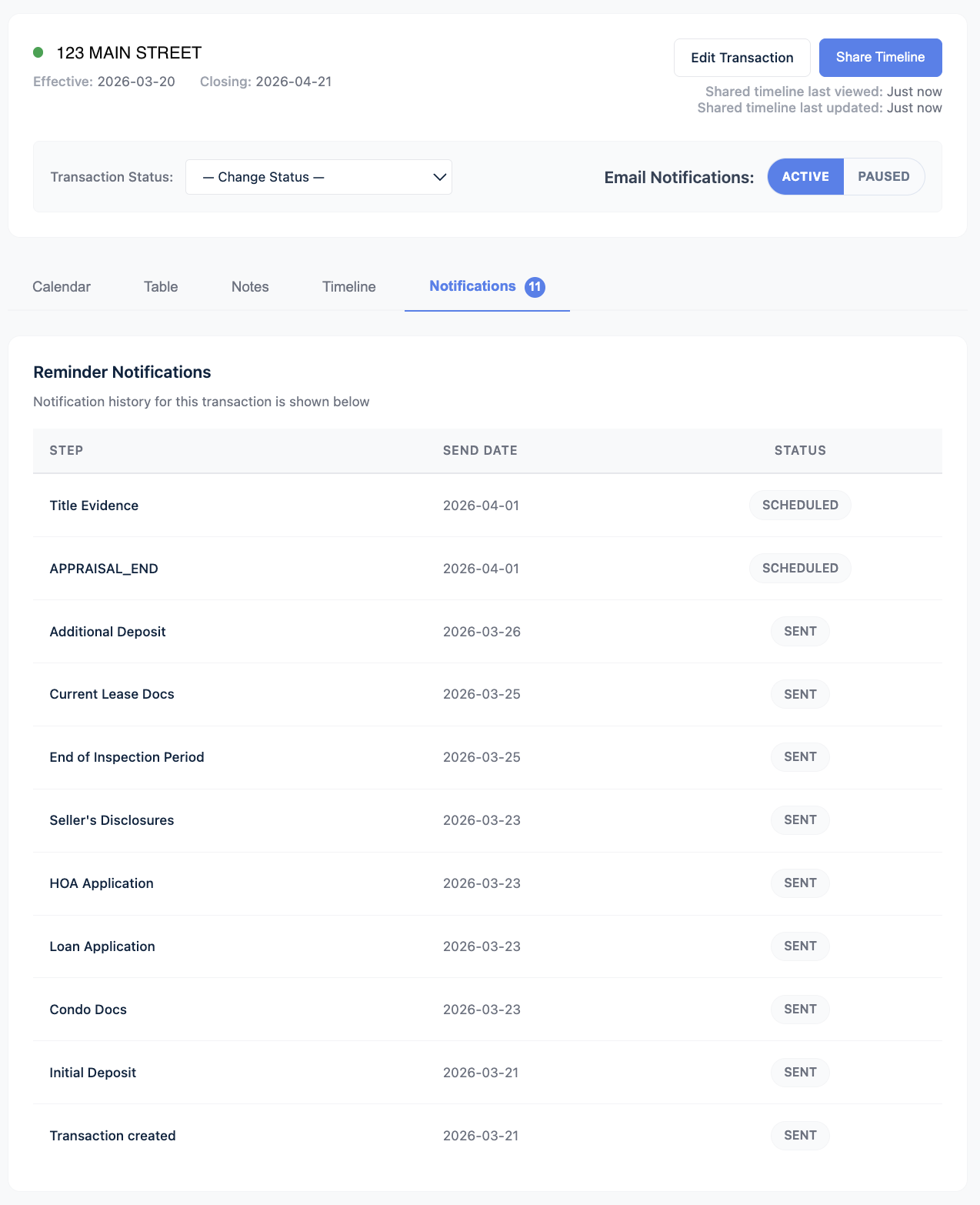
Reminder automationSee upcoming due steps before they become last-minute problems.
Client visibilityShare transaction progress with a cleaner, more organized experience.
Section 1

Why deadlines get missed

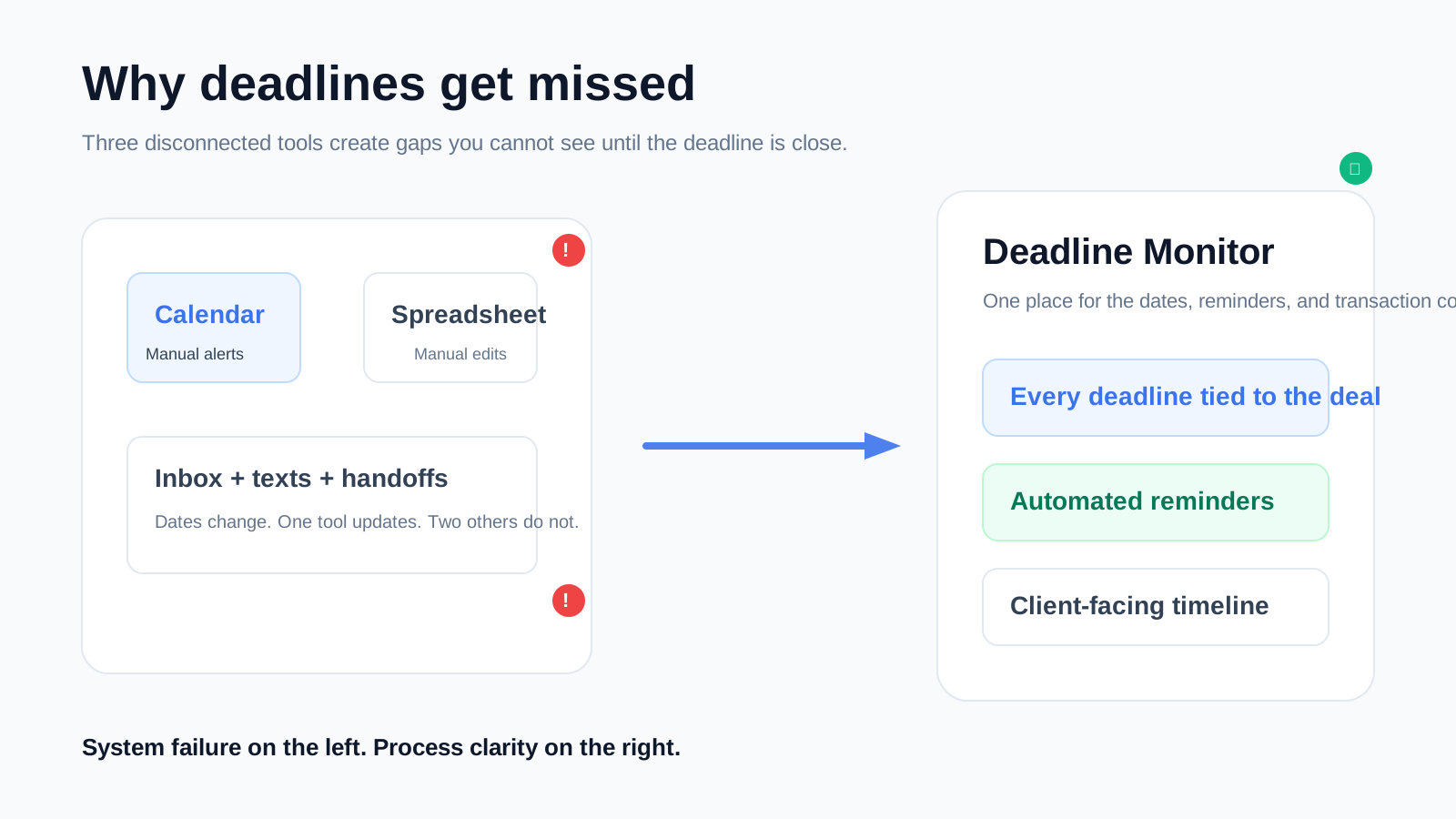
Missing a deadline usually is not an effort problem. It is a system problem. Agents and transaction coordinators often spread dates across a calendar, a spreadsheet, email threads, and whatever reminder made sense in the moment. That works until the deal changes, another contract is added, or the handoff between people gets messy.

Deadline Monitor is built for the specific reality of transaction work. A date is not just a date. It belongs to a deal, to a step in that deal, and to a person who needs context before they act. That is the difference between a reminder and a usable process.
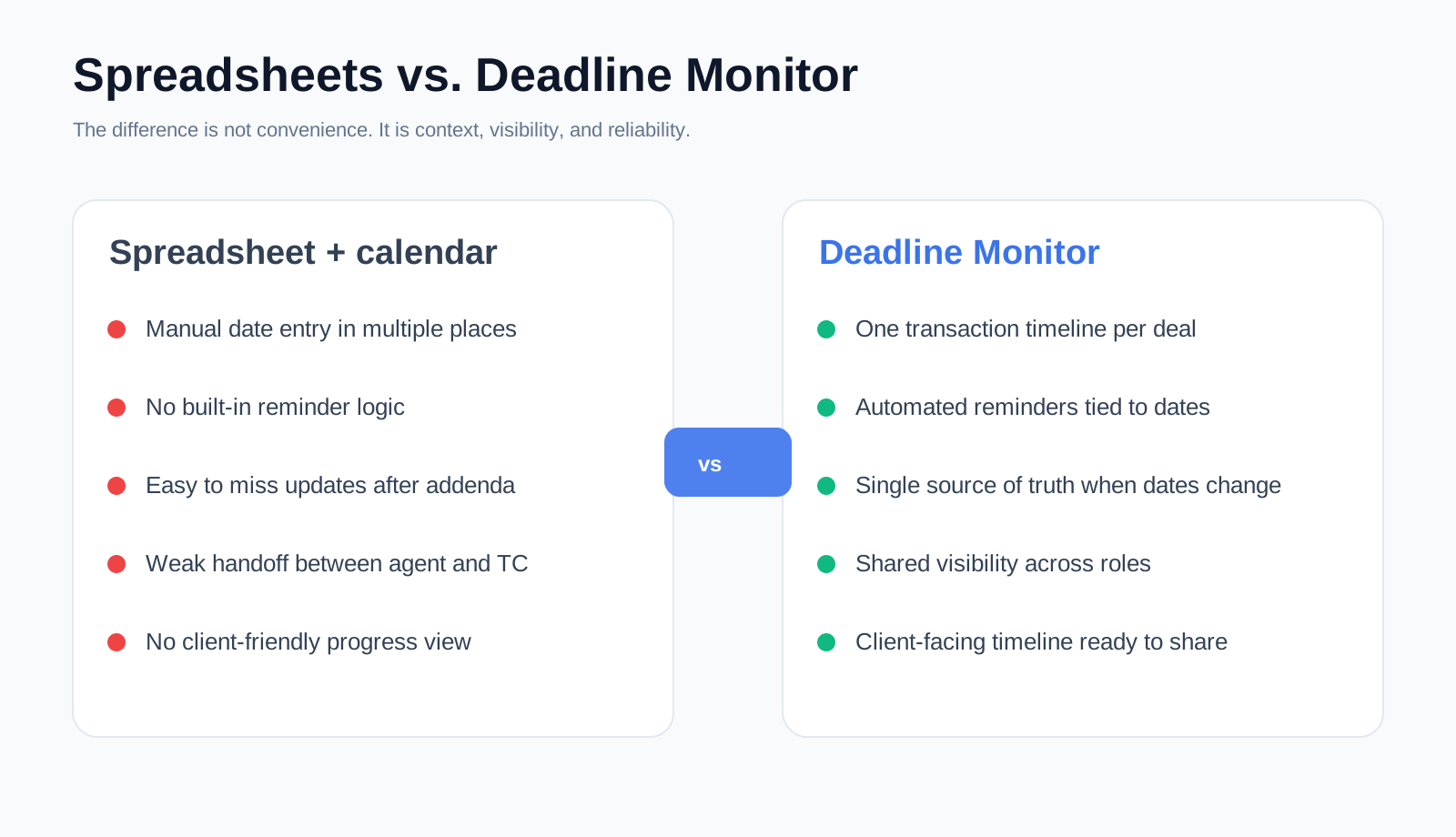
Created explainer visual
Why deadlines get missed
The left side shows the quiet failure pattern. The right side shows why a transaction-specific system is different.
Product view
What Deadline Monitor tracks
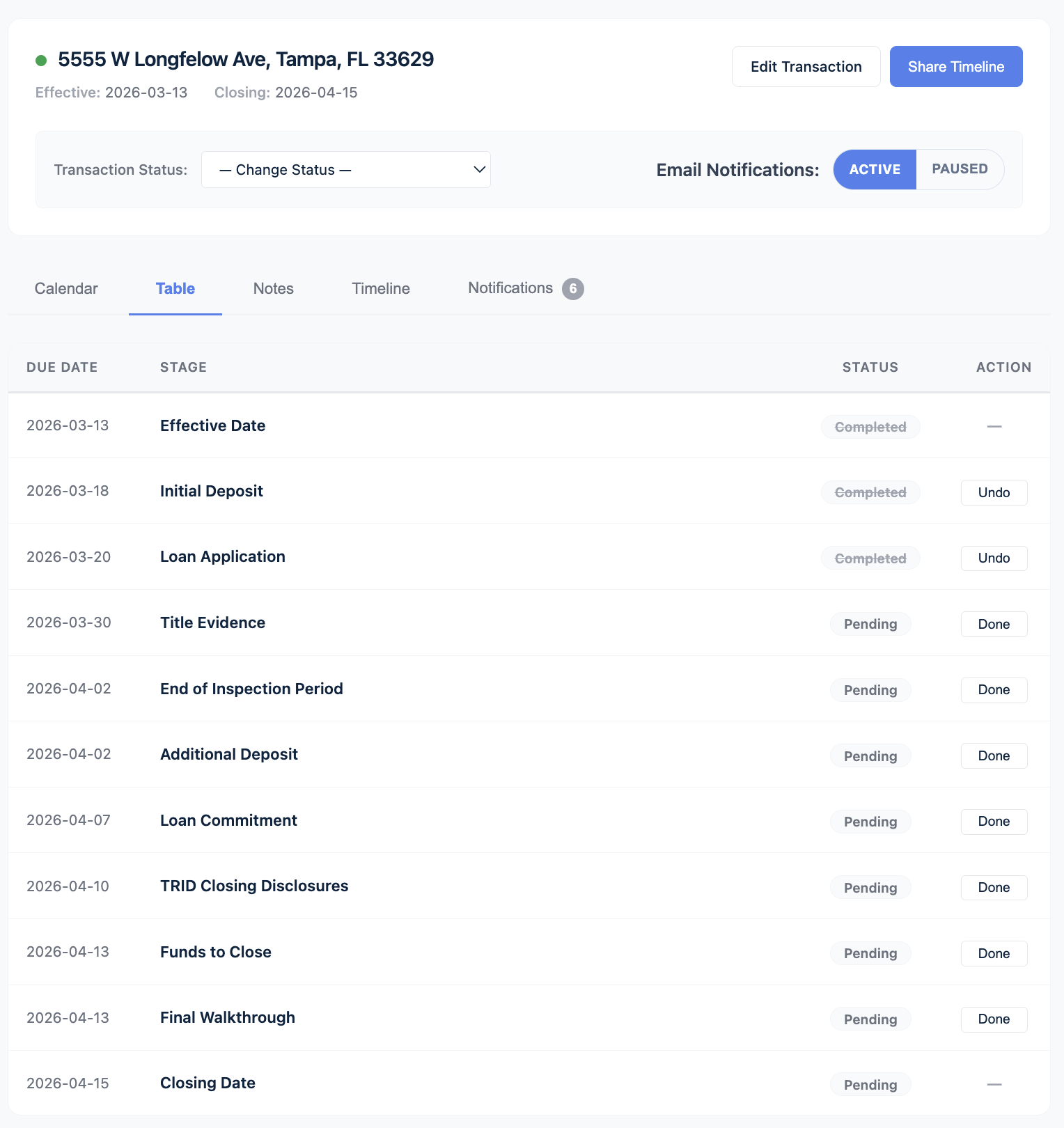
Transaction timeline inside Deadline Monitor.
Section 2

What Deadline Monitor tracks

1
Contract dates
Executed date, closing date, earnest money, inspection, financing, appraisal, title, HOA and other deadline-driven milestones.
2
Reminder timing
Upcoming dates are surfaced before the deal reaches the urgent stage.
3
Transaction progress
The current stage stays visible to the people managing the file and to the client timeline you decide to share.

Instead of managing disconnected alerts, you manage a deal record with the dates attached to it. When the transaction changes, the update happens in the transaction itself, not in four separate tools.

Section 3

How it works

1
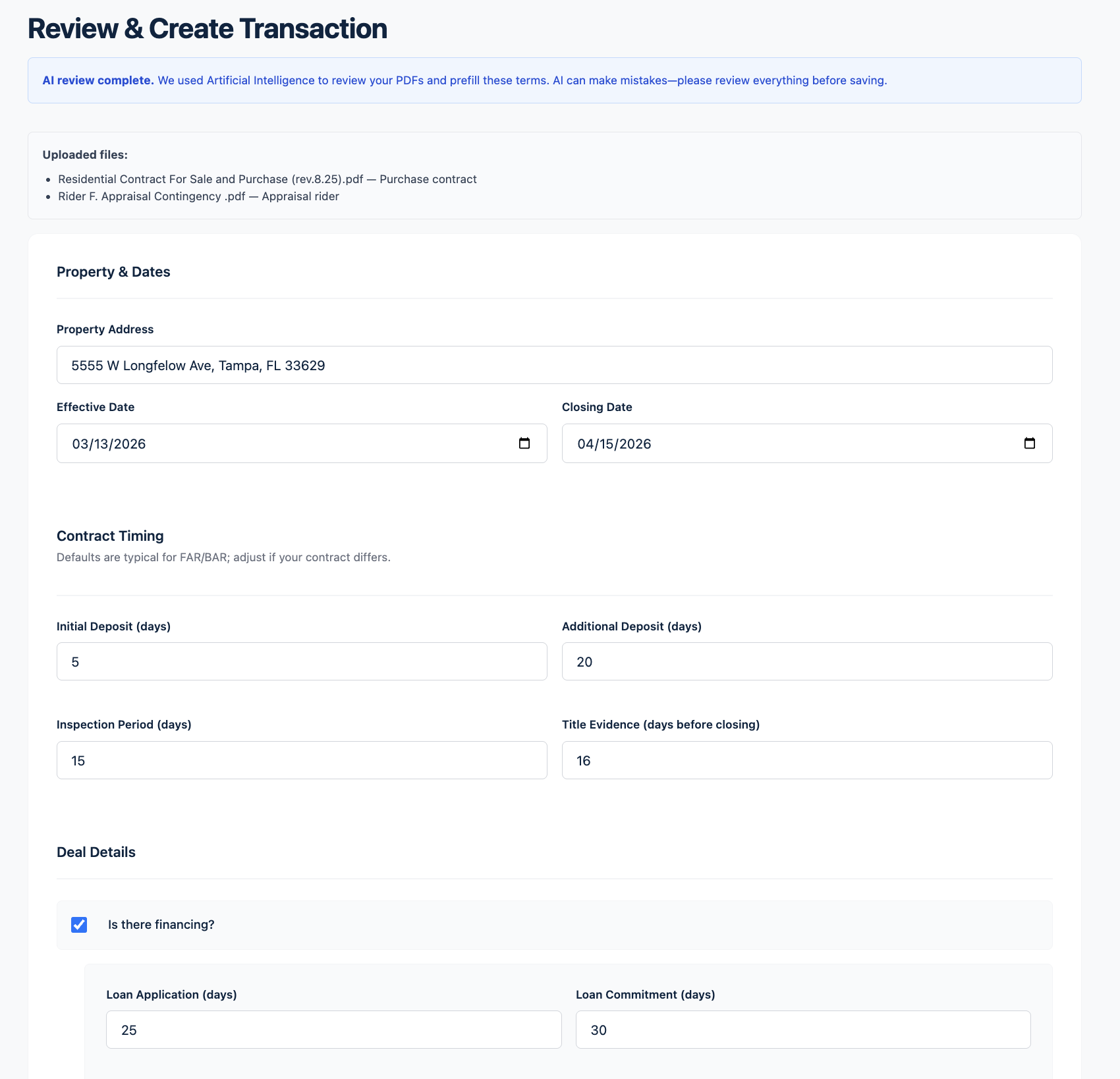
Upload the transaction PDF files
Start with the contract and any addenda or rider files that affect dates.
2
AI reads the dates
Deadline Monitor uses AI-assisted extraction to pull the key dates and terms into the review flow.
3
Review and save the transaction
You confirm the dates before they become part of the file. The system is review-and-confirm, not blind automation.
4
Activate the transaction to activate reminders
Once the transaction is active, the reminder logic and the timeline become part of the working process.

The point is speed without losing control. You get the setup done faster, but the final review still belongs to you.

Product view
How Deadline Monitor turns uploaded transaction PDFs into a reviewed and active transaction
Contract upload and review view inside Deadline Monitor.
Created explainer visual
Why it beats spreadsheets and calendars
Comparison visual for manual tracking versus Deadline Monitor.
Section 4

Why it beats spreadsheets and calendars

A spreadsheet can store dates. A calendar can alert you that a date is approaching. Neither gives you a transaction-specific operating view.

What mattersManual systemDeadline Monitor
When dates changeSomeone has to update every place manually.Update the transaction and keep the process anchored to the deal.
Reminder contextThe alert exists, but the next step still lives elsewhere.The reminder is tied to the timeline and the transaction stage.
Client visibilityHandled through calls, texts, or hand-written updates.A shareable client-facing timeline is part of the workflow.
ScalabilityBreaks quietly when deal volume rises.Designed for multiple simultaneous transactions.
Section 5

Who this is for

Realtors

For agents who are tired of carrying transaction deadlines in their head or rebuilding the same spreadsheet every month.

Transaction coordinators

For high-volume file managers who need a cleaner way to stay ahead of the next due step.

Teams

For businesses that need one process instead of a different tracking habit for every person involved.

Product view
Who this is for
Upcoming reminders view inside Deadline Monitor.
FAQ

Questions this page should answer before someone clicks

Do I have to enter every deadline manually?

You can upload a PDF and have deadlines detected automatically with the use of AI, or you can add dates directly. In either case, you review and confirm the information before the transaction becomes active.

Can my clients see the transaction timeline?

Yes. A client-facing timeline can be shared so buyers or sellers can see progress without depending on a status call.

Is this for agents or for transaction coordinators?

Both. Solo agents and team agents benefit from clearer visibility and reminders. Transaction coordinators benefit from cleaner multi-file management and a more consistent operating view.

What is the fastest value on this page?

The fastest value is simple: one place for the dates, one process for the reminders, and clearer progress visibility across the deal. You stop rebuilding context across separate tools.

Get started

See every deadline in one place.

Start with the transaction. Let the timeline, reminders, and client visibility work from there.