Contract-to-Close Software

Contract-to-Close Software That Keeps Every Milestone Visible

The real problem in a transaction is rarely that people do not know what needs to happen. The problem is that the full picture is scattered. Deadline Monitor gives agents and transaction coordinators one place to see the contract-to-close workflow and what comes next.

Executed contractThe workflow starts with the signed deal
Milestone visibilityDeadlines stay visible through the life of the transaction
Closing clarityThe path to closing is easier to follow
Product view
Contract-to-Close Software That Keeps Every Milestone Visible
Transaction timeline inside Deadline Monitor.
Deadline clarityKeep critical dates tied to the transaction instead of scattered across tools.
Reminder automationSee upcoming due steps before they become last-minute problems.
Client visibilityShare transaction progress with a cleaner, more organized experience.
Section 1

The contract-to-close problem

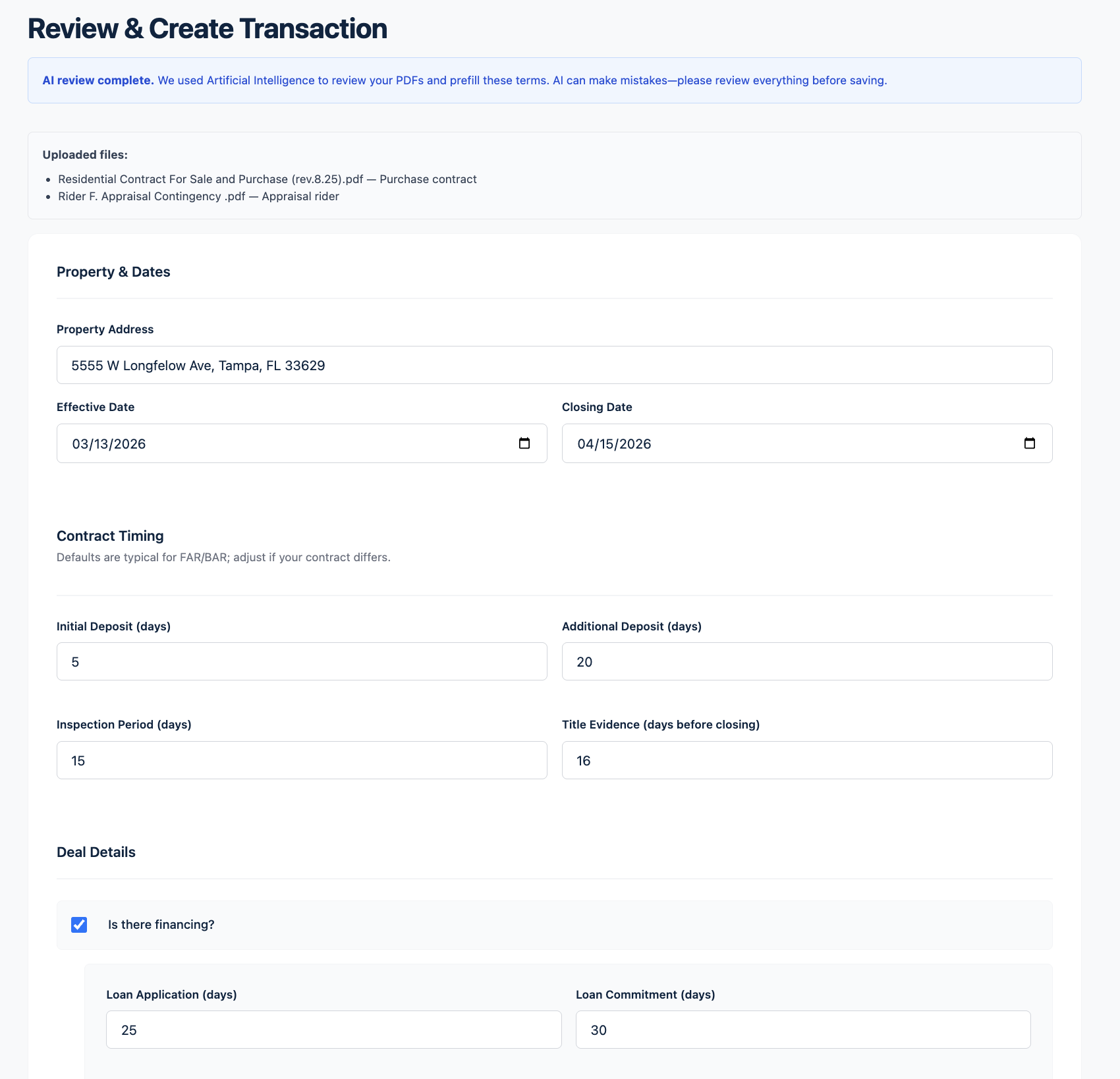
Transaction work is dense by nature. Inspection periods, financing contingencies, appraisal windows, title review, HOA deadlines, walk-throughs and closing preparation all move on parallel tracks. In many offices the process lives partly in a CRM, partly in a spreadsheet, partly in someone’s memory, and partly in whatever update was sent most recently.

That fragmentation is what makes contract-to-close work feel reactive. Deadline Monitor is designed to make the workflow visible as one sequence of milestones instead of a set of disconnected tasks.
Product view
The contract-to-close problem
contract review screenshot showing the deal setup workflow.
Product view
The milestones Deadline Monitor organizes
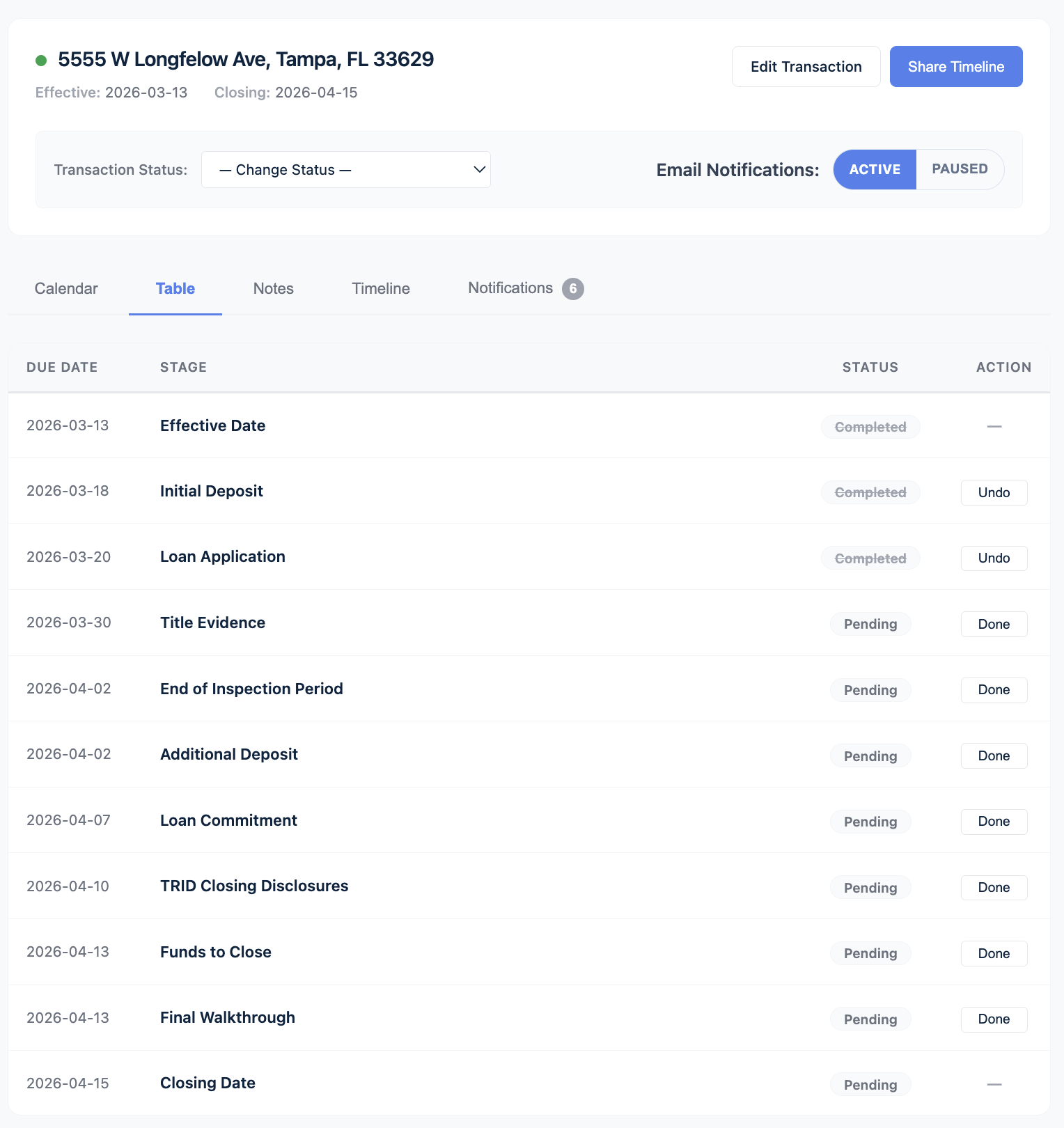
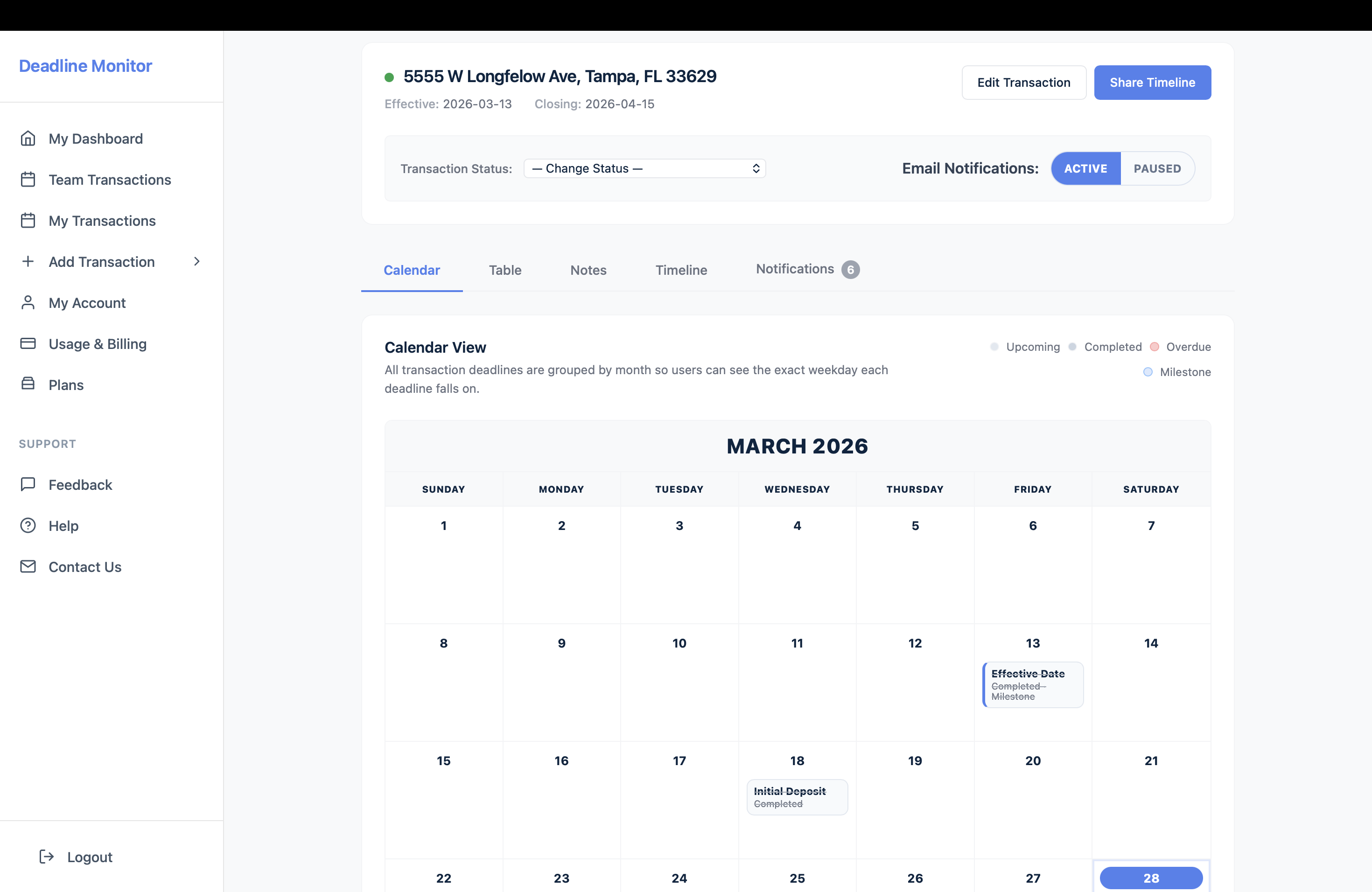
transaction detail screenshot with calendar and milestone tabs.
Section 2

The milestones Deadline Monitor organizes

Core contract milestones

  • Effective date
  • Earnest money timing
  • Inspection period
  • Loan application
  • Financing commitment / loan approval
  • Appraisal-related timing

Closing-side milestones

  • Title evidence and title-related dates
  • HOA / condo milestones
  • Survey or other custom dates
  • Closing disclosure timing
  • Final walk-through
  • Funds to close and closing day

Not every deal uses every step. The point is that the milestones that matter live in one visible system instead of being reconstructed across tools.

Section 3

How the workflow stays visible

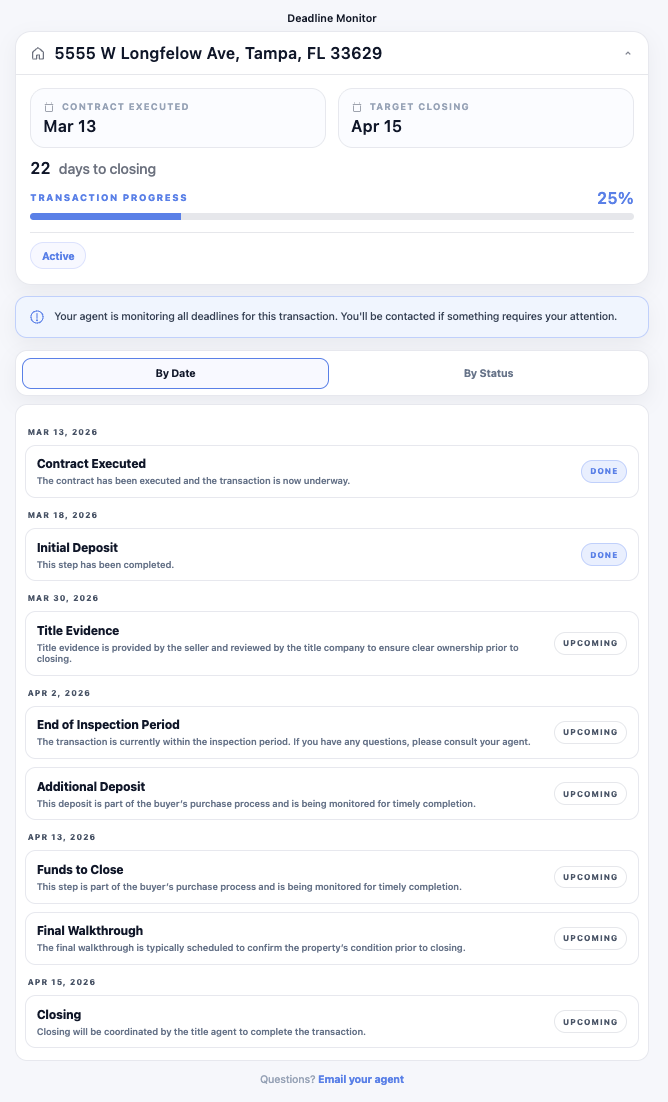
Deadline Monitor keeps the milestones attached to the transaction itself. That means the workflow is easier to read at a glance. Agents can see where the deal stands. Coordinators can see what is due next. Clients can follow the broader progress through a client timeline instead of relying on scattered updates.

Why this matters: when the deal changes, the workflow still lives in one place. You do not have to rebuild context from a spreadsheet, a calendar alert, and an email thread.
Product view
How the workflow stays visible
Client-facing timeline inside Deadline Monitor.
Created explainer visual
Why generic tools are the wrong fit
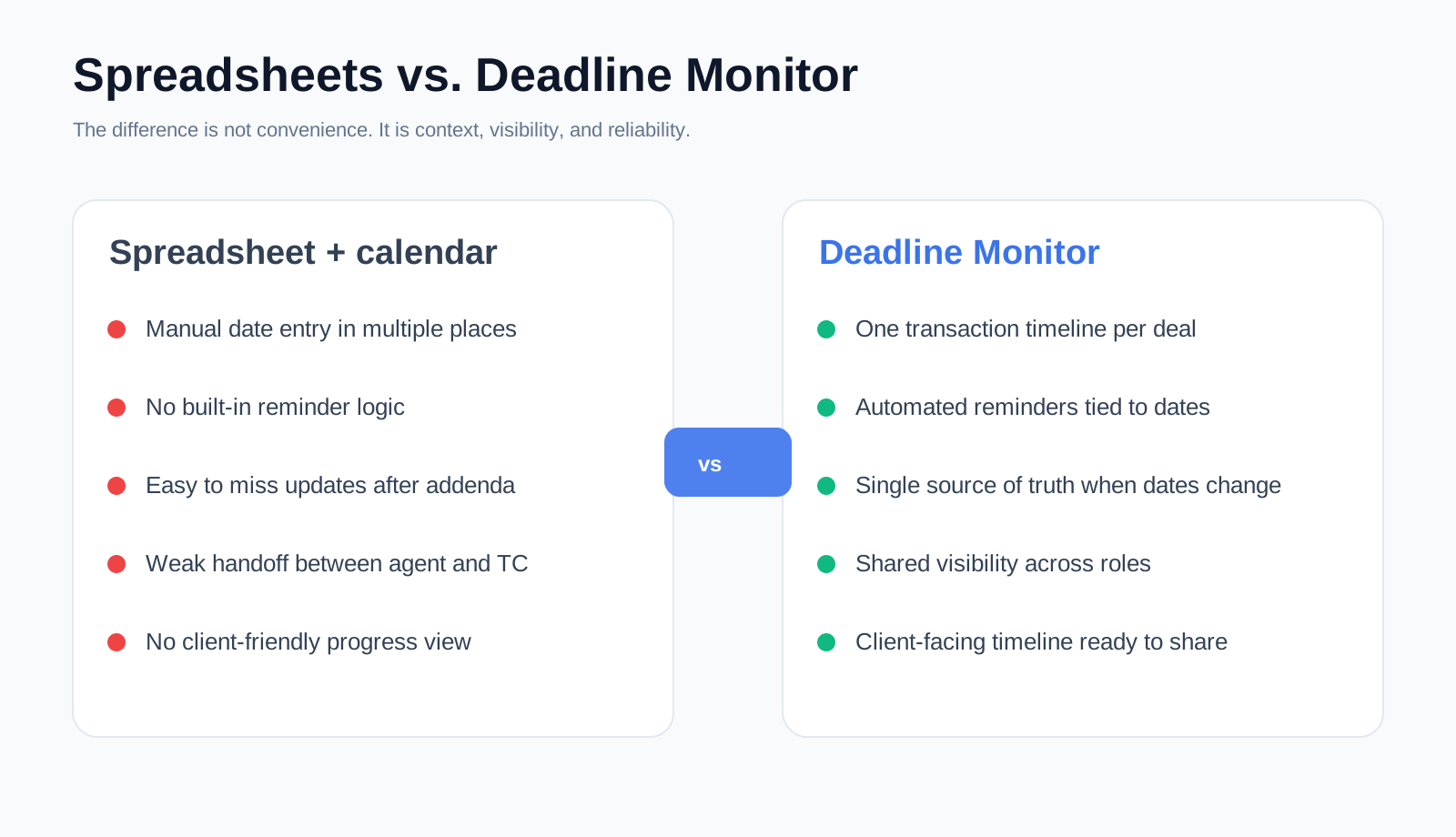
Created comparison visual.
Section 4

Why generic tools are the wrong fit

Many tools can store data. Fewer are designed around the pressure points of a residential transaction. A CRM is usually broader than the problem. A spreadsheet is manual. A calendar is disconnected from the deal. Contract-to-close software needs to keep the dates, the sequence, and the visibility tied together.

Deadline Monitor is narrower on purpose. It is focused on the part of the process where reputation risk shows up fast: deadlines, follow-up, and clarity.

Section 5

Who should use it

Solo agents

Solo agents get earlier clarity, better follow-through, and a better client experience because the workflow is easier to see before something turns urgent.

Transaction coordinators

Coordinators get a cleaner way to run several files without rebuilding the same process from scratch on each one.

Teams

Teams get consistency. The workflow stops depending on each person’s private tracking habit and starts living in one visible system.

Product view
Who should use it
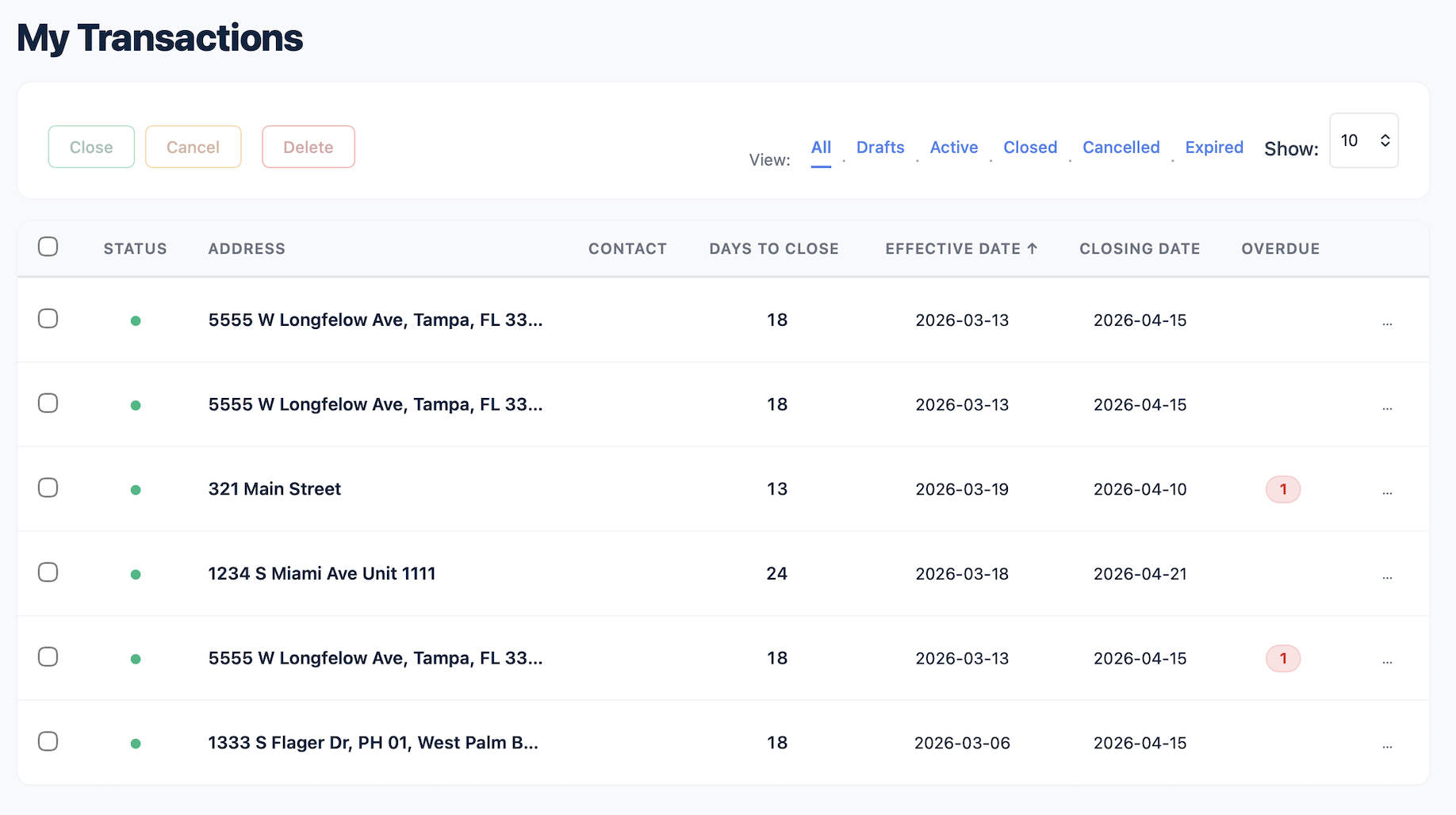
Transactions list inside Deadline Monitor.
FAQ

Questions this page should answer before someone clicks

What does contract-to-close software actually replace?

It replaces the fragmented workflow that often lives across spreadsheets, manual reminders, and ad hoc updates.

Is this only for large teams?

No. Solo agents benefit because the workflow becomes clearer earlier and the client experience feels more organized. Teams benefit because the process becomes more consistent across everyone involved.

Does the software cover only deadlines?

Deadlines are the core, but the value is really the visibility of the whole milestone sequence from contract to close.

Can clients see where things stand?

Yes. The client-facing timeline is part of the broader contract-to-close visibility story.

Get started

Keep the full workflow visible, not just the next alert.

Contract-to-close clarity is easier when the milestones live inside one timeline.